Professional Beam Design Software
Design steel and wood beams faster with WebStructural's powerful beam designer. AISC 360 and NDS compliant. Try it free today.
Start Designing NowWhat is WebStructural Beam Designer?
WebStructural Beam Designer is a professional-grade structural analysis tool built specifically for designing steel and wood beams. Whether you're a structural engineer, contractor, or student, our beam designer makes complex structural calculations simple and fast.
Built on proven finite element analysis methods and compliant with industry standards like AISC 360 for steel design and NDS for wood design, WebStructural provides accurate, code-compliant beam designs you can trust. No installation required - design beams right in your browser.
Why Choose WebStructural Beam Designer?
Lightning Fast
Real-time analysis updates as you design. No waiting for calculations - see results instantly.
Code Compliant
AISC 360 for steel, NDS for wood. Industry-standard design methods you can trust.
Visual Results
Interactive shear, moment, and deflection diagrams. Understand your beam behavior at a glance.
Cloud-Based
No installation needed. Access your designs anywhere, anytime from any device.
Comprehensive Libraries
Extensive shape libraries for steel (W, HSS, C, L) and wood (dimensional lumber, glulam, LVL).
Made for Engineers
Built by structural engineers, for structural engineers. Intuitive workflow that matches your process.
Comprehensive Beam Design Capabilities
Steel Beam Design
- AISC 360 compliant calculations
- W-shapes, HSS, channels, angles, and more
- LRFD and ASD design methods
- Lateral-torsional buckling checks
- Multiple steel grades (A36, A992, A500, etc.)
- Composite beam design
Wood Beam Design
- NDS compliant design
- Dimensional lumber, glulam, LVL, PSL
- ASD and LRFD methods
- Lateral stability checks
- Multiple wood species and grades
- Flitch beam design (steel + wood)
Multiple Span Support
- Design multi-span continuous beams
- Cantilever beams and overhangs
- Pinned, fixed, and free supports
- Automatic reaction calculations
- Easy span configuration
Flexible Loading Options
- Uniform distributed loads
- Point loads at any location
- Linear (trapezoidal) loads
- Applied moments
- Multiple load cases (D, L, Lr, S, W, E)
- Automatic load combinations per ASCE 7
Advanced Bracing Options
- Continuous bracing modeling
- Point bracing at any location
- Unbraced length calculations
- Top flange, bottom flange, or full bracing
- Automatic capacity adjustments
Detailed Reports & Diagrams
- Interactive shear and moment diagrams
- Deflection plots for all load cases
- Capacity ratio summaries
- Detailed calculation reports
- Reaction tables
- Print-ready documentation
How Beam Designer Works
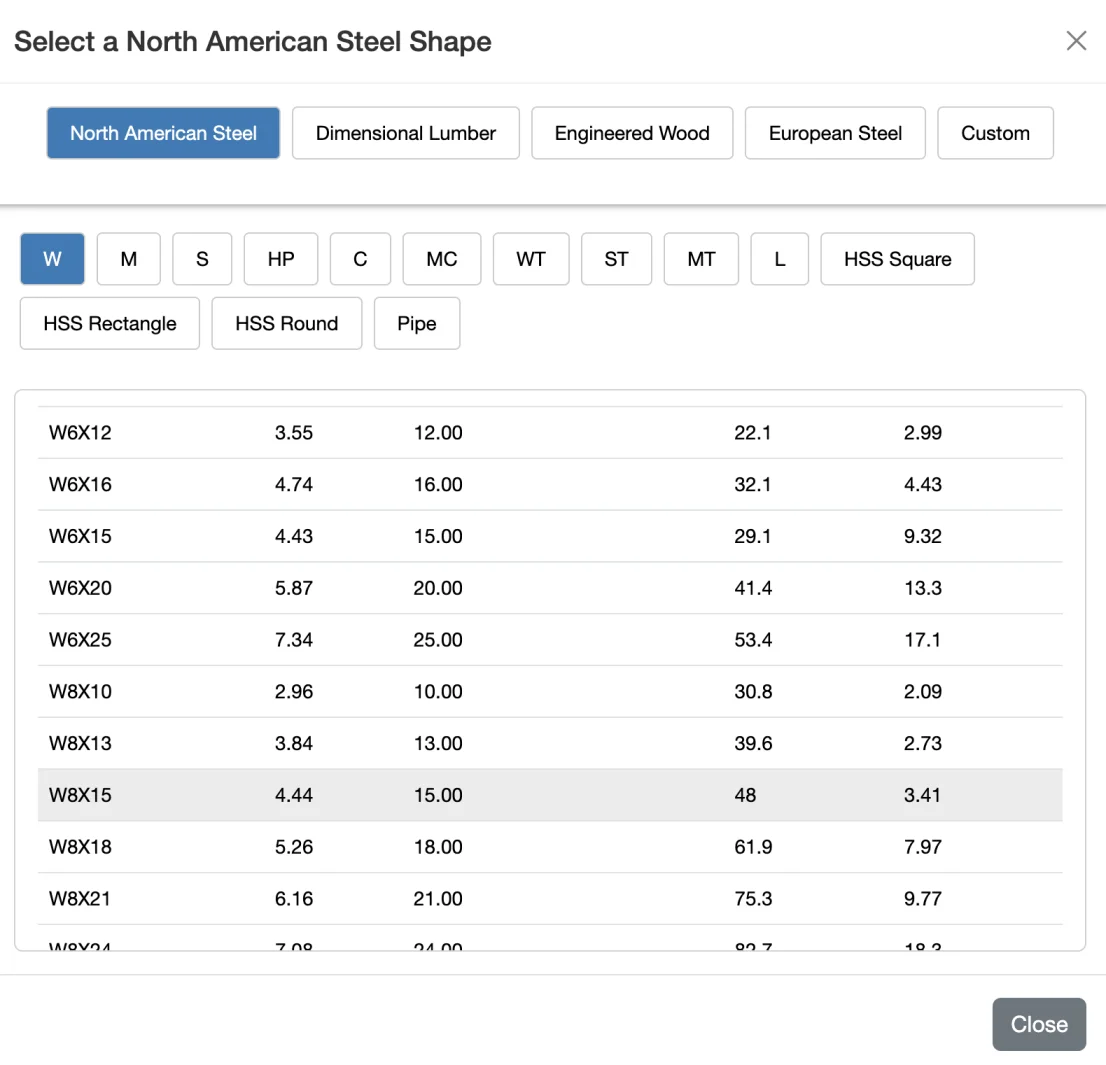
1. Choose Your Beam
Select from our comprehensive shape library. Steel W-shapes, HSS, channels, angles, or wood dimensional lumber, glulam, and engineered lumber products. Pick your material grade and design method (LRFD or ASD).
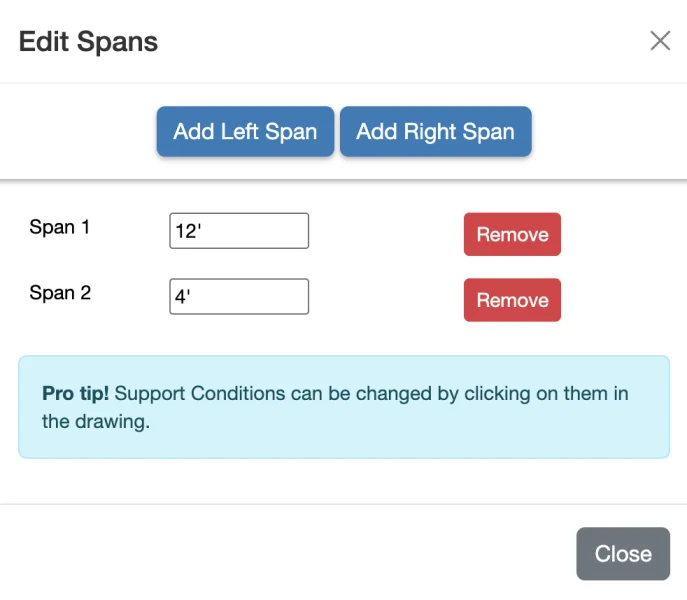
2. Configure Spans & Supports
Add spans, set support conditions, and configure your beam geometry. Simple one-span beams or complex multi-span continuous beams - the choice is yours. Click supports to toggle between pinned, fixed, and free conditions.
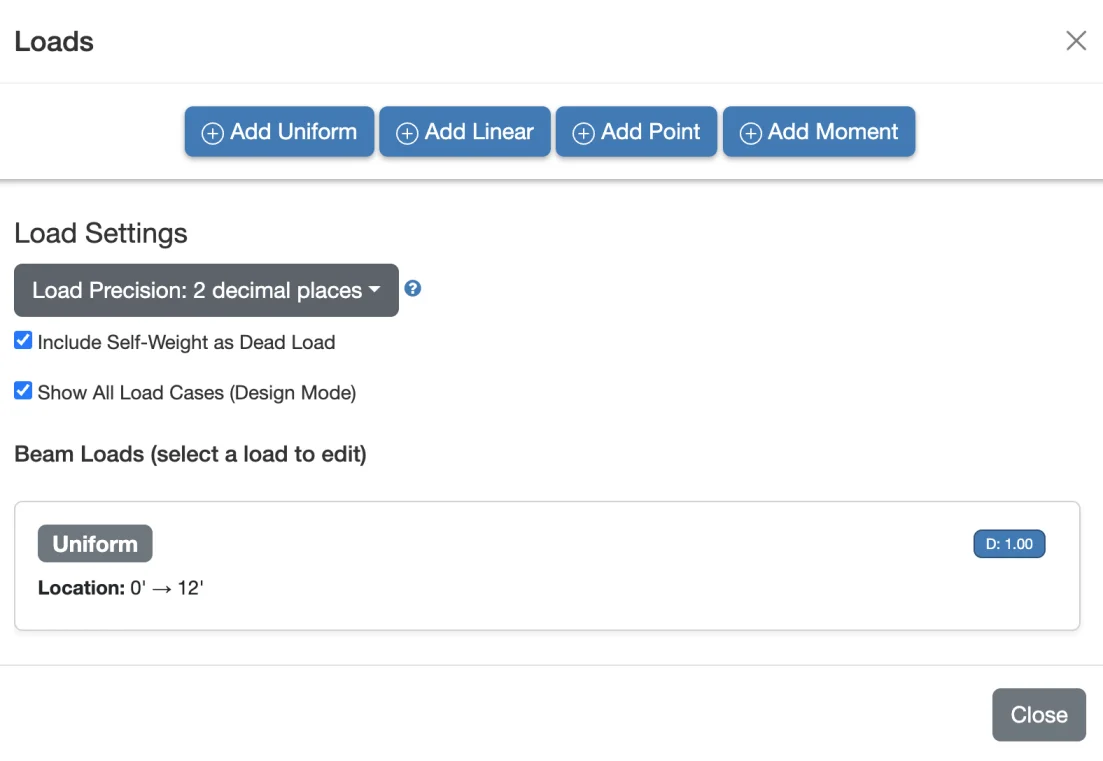
3. Apply Loads
Add your design loads by type and load case. Uniform loads, point loads, linear loads, and moments. Organize by load case (dead, live, snow, wind, etc.) and let WebStructural automatically apply load combinations per ASCE 7.
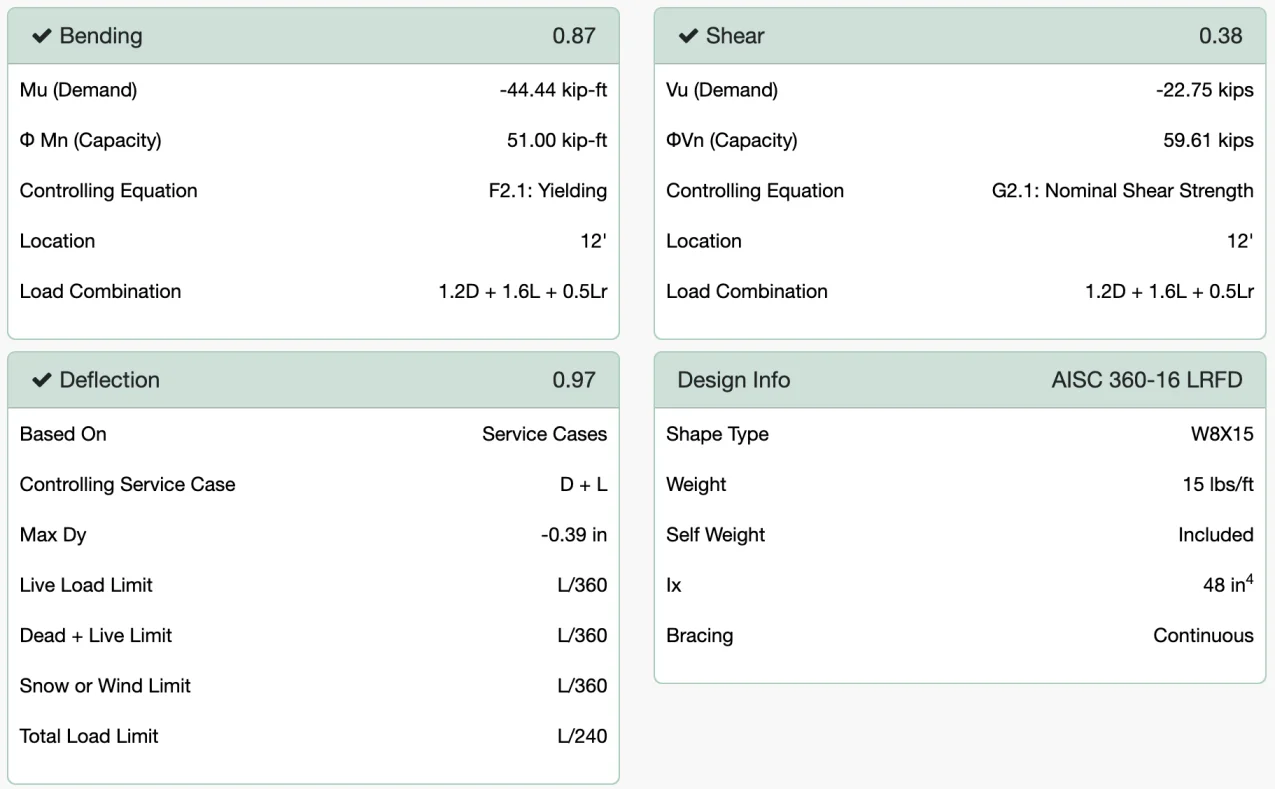
4. Set Bracing & Analyze
Configure your bracing conditions to accurately model lateral support. WebStructural instantly analyzes your beam and checks all design requirements. See capacity ratios, shear and moment diagrams, and deflection plots in real-time.
Built for Professionals
Structural Engineers
Save hours on beam design with instant calculations and code-compliant results. Perfect for preliminary design, quick checks, or detailed analysis.
- Fast preliminary sizing
- Detailed design documentation
- Multiple design code support
- Save and manage projects
Students & Educators
Learn structural design with interactive visual feedback. See how loads, spans, and bracing affect beam performance in real-time.
- Visual learning tools
- Instant feedback
- Comprehensive tutorials
- Free tier available
Contractors & Builders
Quickly verify beam sizes and capacities on the job. Simple interface, no engineering degree required to understand results.
- Easy-to-understand results
- Quick beam checks
- Mobile-friendly design
- No installation needed
Technical Specifications
Design Standards
- Steel: AISC 360 (14th and 15th Edition)
- Wood: NDS (National Design Specification)
- Loads: ASCE 7 load combinations
- Methods: LRFD and ASD
Analysis Engine
- Finite element analysis (FEA)
- Real-time calculation updates
- Accurate deflection and stress analysis
- Support for indeterminate beams
Shape Libraries
- Steel: W, S, M, HP, C, MC, L, HSS, Pipe, Built-up sections
- Wood: Dimensional lumber, Glulam, LVL, PSL, LSL
- Custom shape definition
- Thousands of standard shapes
Platform
- Web-based (Chrome, Firefox, Safari, Edge)
- No installation required
- Cloud storage for projects
- Responsive design for mobile and tablet
Ready to Design Better Beams?
Join thousands of engineers who trust WebStructural for fast, accurate beam design. Start your free trial today - no credit card required.