The beam can't stand on these supports. Give it two pinned supports, or one fixed support.
Need steel and wood beam design? Want to print and save results?
Upgrade now to unlock the full power of WebStructural
How to Use the Shear and Moment Diagram Calculator
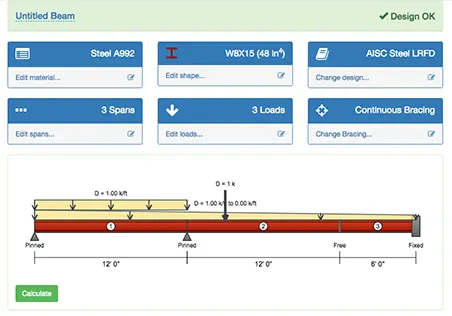
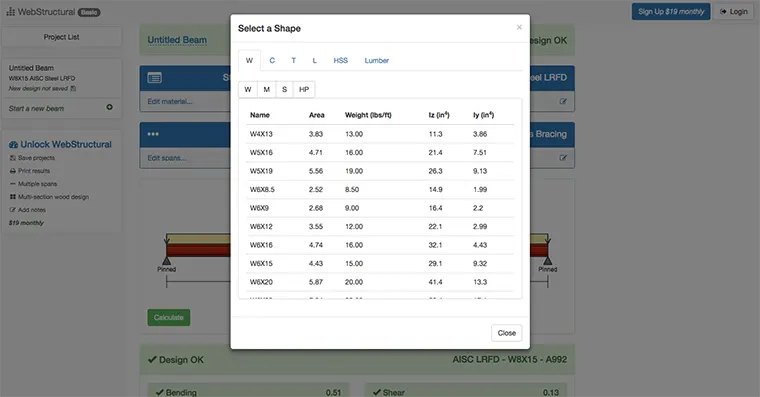
- Click Material or Shape to pick a steel or wood size from the shape library, or to type the modulus of elasticity, E, and the moment of inertia, I. The calculator uses the same E and I along the whole beam, so they only affect the deflection, not the shear or moment.
- Click Add Spans to set the span lengths. Add spans to the left or right for a continuous beam.
- Click a support on the drawing to cycle it between pinned, fixed and free. A free end makes a cantilever.
- Click Add Loads to add uniform, linear (triangular or trapezoidal) and point loads, and applied moments.
- The reactions, deflection, shear and moment diagrams update as you edit the beam.
The buttons above the drawing switch between US units (feet, kips) and metric units (meters, kN).
How to Draw Shear and Moment Diagrams by Hand
A shear diagram shows the internal shear force, V, along the beam, and a moment diagram shows the internal bending moment, M. With the usual sign convention (positive moment bends the beam into a smile), a few rules give the shape of both diagrams:
- Solve for the support reactions first, using ΣF = 0 and ΣM = 0.
- A point load makes the shear jump by the size of the load.
- Over a uniform load the shear changes in a straight line, at a slope equal to the load (dV/dx = −w), and the moment curves as a parabola.
- The slope of the moment diagram equals the shear (dM/dx = V), so the maximum moment is where the shear crosses zero.
- The change in moment between two points equals the area of the shear diagram between them.
- The moment is zero at a pinned end or a free end, unless a moment is applied there.
Worked example
A simply supported beam spans 20 ft. It carries a uniform load of 1 k/ft and a point load of 10 kips at 8 ft from the left support.
Reactions. Taking moments about the right support: RA = (1 × 20 × 10 + 10 × 12) / 20 = 16 kips. Then RB = 20 + 10 − 16 = 14 kips.
Shear. The shear starts at +16 kips and drops 1 kip per foot to +8 kips at x = 8 ft. The point load drops it by 10 to −2 kips. It keeps falling to −14 kips at the right support, which matches RB.
Moment. The shear crosses zero at the point load, so the moment is largest there: M = 16 × 8 − 1 × 8² / 2 = 96 kip-ft. Check it with the area of the shear diagram from 0 to 8 ft: (16 + 8) / 2 × 8 = 96 kip-ft.
More shear and moment diagram examples: a cantilever, an overhang, a triangular load and an applied moment, worked the same way.
Continuous Beams
A beam over three or more supports is statically indeterminate: there are more reactions than the equilibrium equations can solve, so the reactions depend on how the beam bends. That is where a calculator saves the most time. The moment over an interior support is negative, so the bottom of the beam is in compression there.
For two equal spans L with a uniform load w on both, the end reactions are 3wL/8 and the middle reaction is 5wL/4. The moment over the middle support is −wL²/8, and the largest positive moment is 9wL²/128, at 3L/8 from each end.
Related Tools
- Beam deflection formulas: deflection, moment and reactions for 19 standard cases.
- Beam designer: size steel and wood beams and check them to AISC 360 or the NDS.
- Shear and moment diagram examples: five beams worked by hand.
- How to design a steel beam: a step-by-step guide with a worked example.
Frequently Asked Questions
Is the shear and moment diagram calculator free?
Yes, for beams of up to two spans, with no account needed. More spans need a WebStructural subscription.
Does it show the support reactions?
Yes. The reactions at each support are listed under the drawing and update as you edit the beam.
Can it solve cantilevers and fixed-end beams?
Yes. Click a support to make it fixed or free. A fixed support with a free end is a cantilever.