Beam Design Software Compared
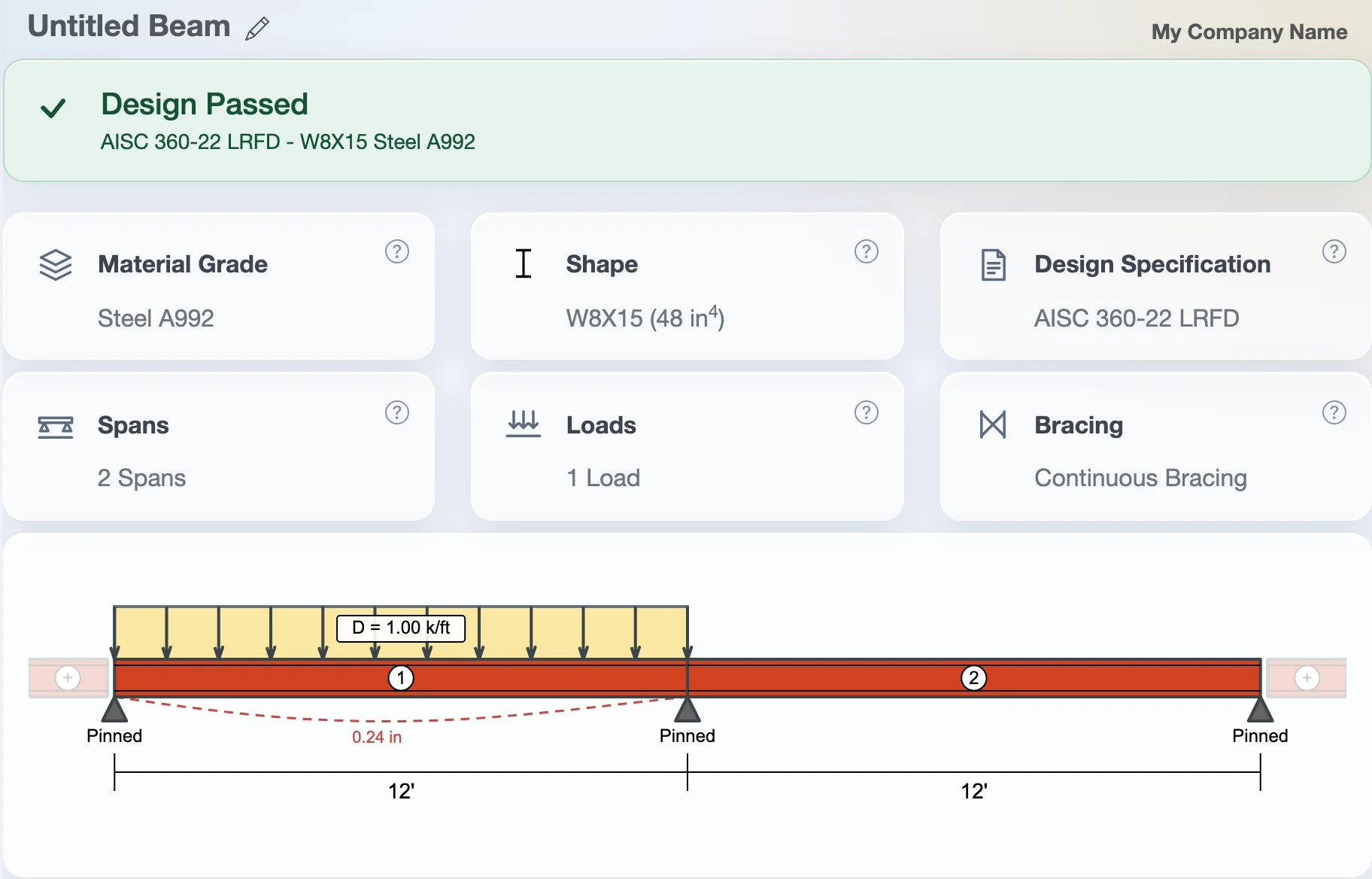
Steel and wood design checked to AISC 360-22 and the 2024 NDS, with ASCE 7-22 load combinations: the editions the 2024 IBC adopts. Free to use with no account. Pro is $29 a month or $249 a year, a fraction of what the other code-checking tools charge.
Prices and free plans
Prices are from each company's public pricing page in October 2026, except SkyCiv, which doesn't publish them; its figures come from resellers' listings. Check the vendor's site before you buy.
| Product | Monthly | Yearly | Free option | Checks members to design codes? |
|---|---|---|---|---|
| WebStructural | $29 | $249 | Every designer, up to 2 spans, no account. Framing and wall calculators free. Pro free for students. | Yes: AISC 360-22, NDS 2024, ACI 318-19, ASCE 7-22 (or 7-16) |
| Calcs.com (was ClearCalcs) | $79 Basic, $119 Pro | $790 Basic, $1,190 Pro | 14-day trial, then saved projects read-only. Free for students and teachers. | Yes: AISC, NDS, ACI, AISI, ASCE 7 |
| StruCalc | $99.97 | $1,079.67 | Trial | Yes: 2024 IBC, 2024 NDS, AISC |
| SkyCiv | About $69 Basic, $109 Professional | Not published | Free beam calculator, limited to a few loads | Yes, many countries' codes |
| ForteWEB (Weyerhaeuser) | Free | Free | Free with an account | Yes, focused on Weyerhaeuser engineered wood |
| BeamGuru | $39 for one month | $249 for 12 months | Diagrams without the numbers | No: forces, stresses and deflection only |
What you get with WebStructural
- Beam designer: single and multi-span steel and wood beams, flitch beams, glulam, LVL and PSL, with the shear, moment and deflection diagrams.
- More than beams in one plan: columns, concrete footings, anchor bolts and a 2D frame designer with second-order analysis and earthquake loads.
- Free residential calculators: rafters, headers, floor joists, decks, stud walls, shear walls, retaining walls and basement walls, to the 2024 NDS, taking snow from ASCE 7-22 or the IRC map.
- Current codes: steel to AISC 360-22, wood to the 2024 NDS and its Supplement, concrete to ACI 318-19, and load combinations to ASCE 7-22, with its strength-level snow and the 2024 IBC's 0.7S for deflection. Each design can switch to ASCE 7-16 where the 2018 or 2021 IBC is still adopted.
- A whole schedule at once: import a beam and column schedule from Excel into a folder, then print one PDF for all of it.
- Reports that show the work: each check names the code section and equation it uses. Pro prints and saves them, and makes one PDF for a whole folder of members.
- Your saved work stays: if you stop paying, your saved designs are still in your account when you come back.
Which one fits
- You want code checks without paying $800–$1,200 a year: WebStructural covers steel and wood beams, columns and footings for $249 a year.
- You need 3D analysis or codes outside the US: SkyCiv does more here. WebStructural designs to US codes only.
- You design concrete beams, masonry or cold-formed steel: Calcs.com Pro covers them. WebStructural designs concrete footings and block retaining walls, not concrete beams or masonry walls.
- You size hip and valley beams, I-joists or hangers: StruCalc has these for residential work. WebStructural doesn't.
- You're sizing Weyerhaeuser joists and beams: ForteWEB is free and has their products.
- You only need moment and shear numbers once: the WebStructural shear and moment diagram calculator is free.
Try it before you decide
The beam designer runs in your browser with no account and no trial clock. Design as many beams as you like for free; upgrade only when you want to save and print.
SkyCiv, StruCalc, Calcs.com, ClearCalcs, ForteWEB, Weyerhaeuser and BeamGuru are trademarks of their owners. WebStructural isn't affiliated with any of them. Have a licensed engineer check anything that will be built.