 WebStructural
Trusted by engineers, architects and construction professionals around the world. WebStructural makes steel and wood beam design quick and easy.
Solutions
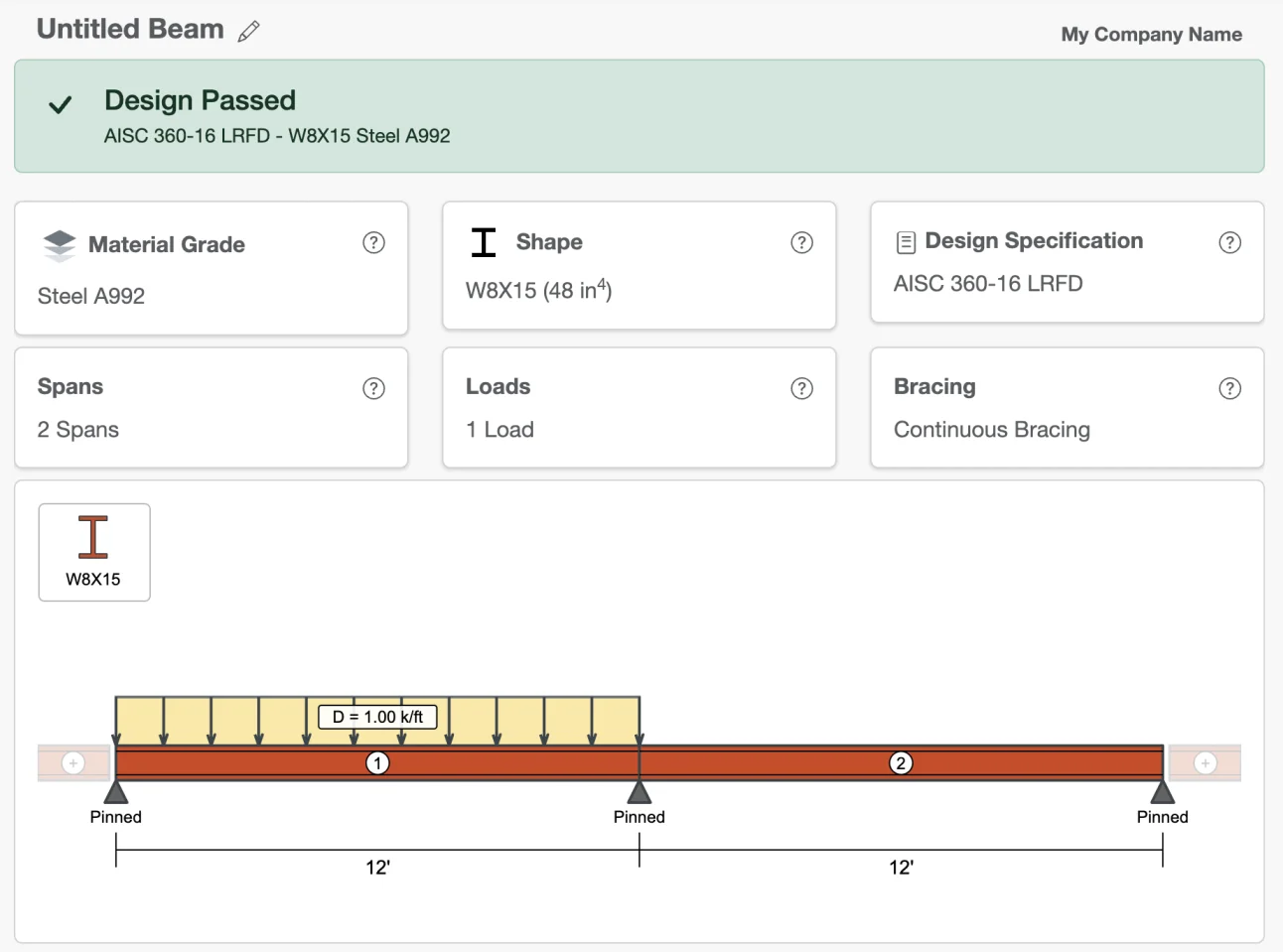
Beam Designer
Design multi-span beams with complex loads. An interactive drawing area allows you to design beams in minutes. Use the free version as much as you like.
AISC 360-16 & 2018 NDS Design
Steel and wood design with ASCE 7-16 LRFD, ASCE 7-16 ASD and 2018 NDS design checks and load combinations.
Steel, Wood and Custom Shapes
Choose from an extensive shape library of common steel, lumber and engineering lumber shapes, including flitch wood beams. Analysis and capacity check for custom shapes.
New to beam design? Learn Steel Beam Design in our step-by-step guide.
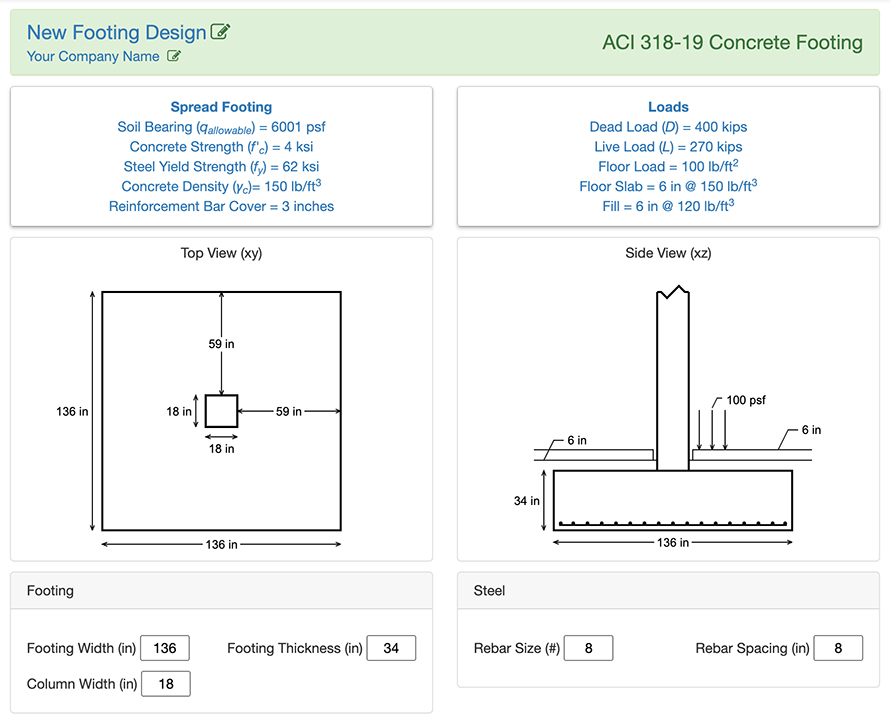
Concrete Footing Designer
Quick and easy concrete spread footing designer.
ACI 318-19 Concrete Footings
Design footings based on allowable bearing pressure, one-way shear, two-way shear, flexure strength, reinforcement bar development, column bearing and footing bearing loads.
Comprehensive Design Parameters
Include dead loads, live loads, floor slab weight, floor load, fill (overburden) loads and steel reinforcement configurations.
New to concrete footing design? Learn Concrete Footing Design in our step-by-step guide.
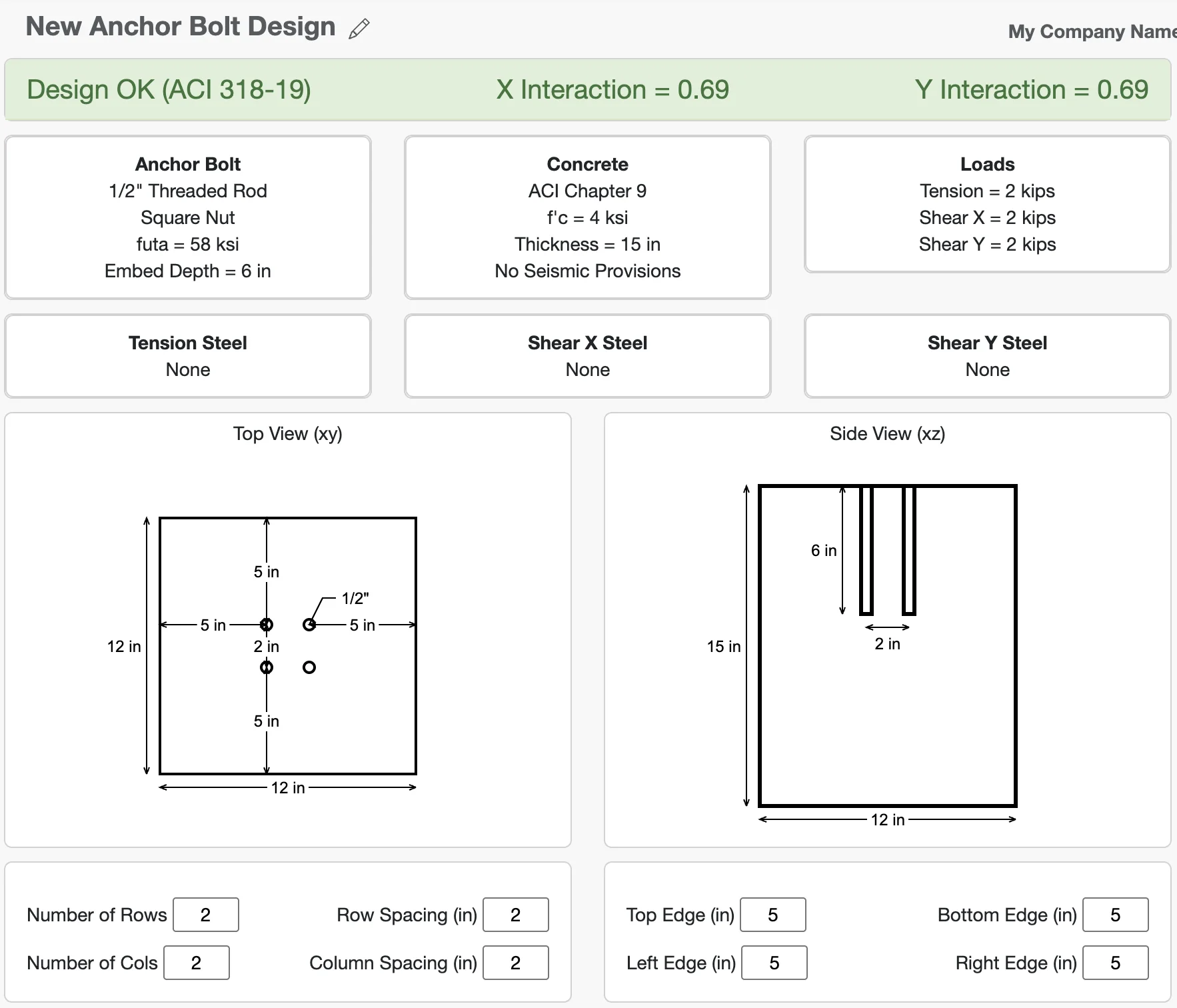
Anchor Bolt Designer
Quick and easy concrete anchor bolt design supporting common bolt types and reinforcing steel configurations.
ACI 318 Design with Common Bolt Types
- Threaded Rods
- Headed Bolts
- Headed Studs
- Hooked Bolts
- With or without grout pads.
Multiple Load Factors
ACI 318 Appendix C and ACI 318 Chapter 9 Load Factors. With or without seismic provisions.
New to anchor bolt design? Learn Anchor Bolt Design in our step-by-step guide.
Modern structural analysis software is pretty amazing, but sometimes you just need to design a beam. WebStructural makes sizing steel and wood beams quick, easy and accurate. There's nothing to install and everything is synced to the cloud. Learn how to design a steel beam step-by-step, or try it free and see just how easy it is to design your next beam.
| AISC Steel Shapes | European Steel Shapes | Visually Graded Lumber |
| Engineered Lumber LVL and PSL | Custom Shapes & Materials | ASCE 7-16 LRFD & ASD Load Combinations |
| AISC 360-16 Steel Design | NDS Wood Design | Simple Demand vs Capacity Checks |
| Multiple Spans | Flitch Wood Design | Save and Print Projects |
Learn Structural Design
Practical tutorials to help you understand the fundamentals behind beam, footing, and anchor bolt design.
-
How to Design a Steel Beam — Step-by-Step Tutorial
Learn span selection, loads, bending, and deflection checks using AISC methods, with a fully-worked design example.
-
How to Design a Concrete Footing — Step-by-Step Tutorial
Understand soil bearing pressure, footing size, reinforcement, and frost depth considerations for typical foundations.
-
How to Design Anchor Bolts — Step-by-Step Tutorial
Learn tension, shear, embedment depth, and edge distance requirements for common concrete anchor designs.
Choose the Right Plan for You
Start with the Basic plan to design steel and wood beams as much as you like — free. Upgrade to Pro for $19/month or $199/year when you're ready to save projects and print reports.
Basic
$0/mo
- Steel and Wood Beam Design
- AISC and NDS Specifications
- LRFD and ASD Load Combinations
- 2 Span Limit
Pro
$19/mo or $199/yr
- Save and Print Designs
- Multi Ply Lumber
- LVL and PSL Engineered Lumber
- Up to 10 Spans
Need help deciding?
Start with the free Basic plan and upgrade anytime — or explore our tutorials to learn more about structural design.